
NoriaPDF · 5 minutes
Local OCR: search the text in a scanned PDF
A clear-looking scan may contain no searchable text. OCR adds recognized text over the page image without uploading your PDF.
Check the scan
Open the fictional receipt sample. Use Search text to look for “Noria”. Before OCR, a page made entirely from an image does not provide those words to the search tool.
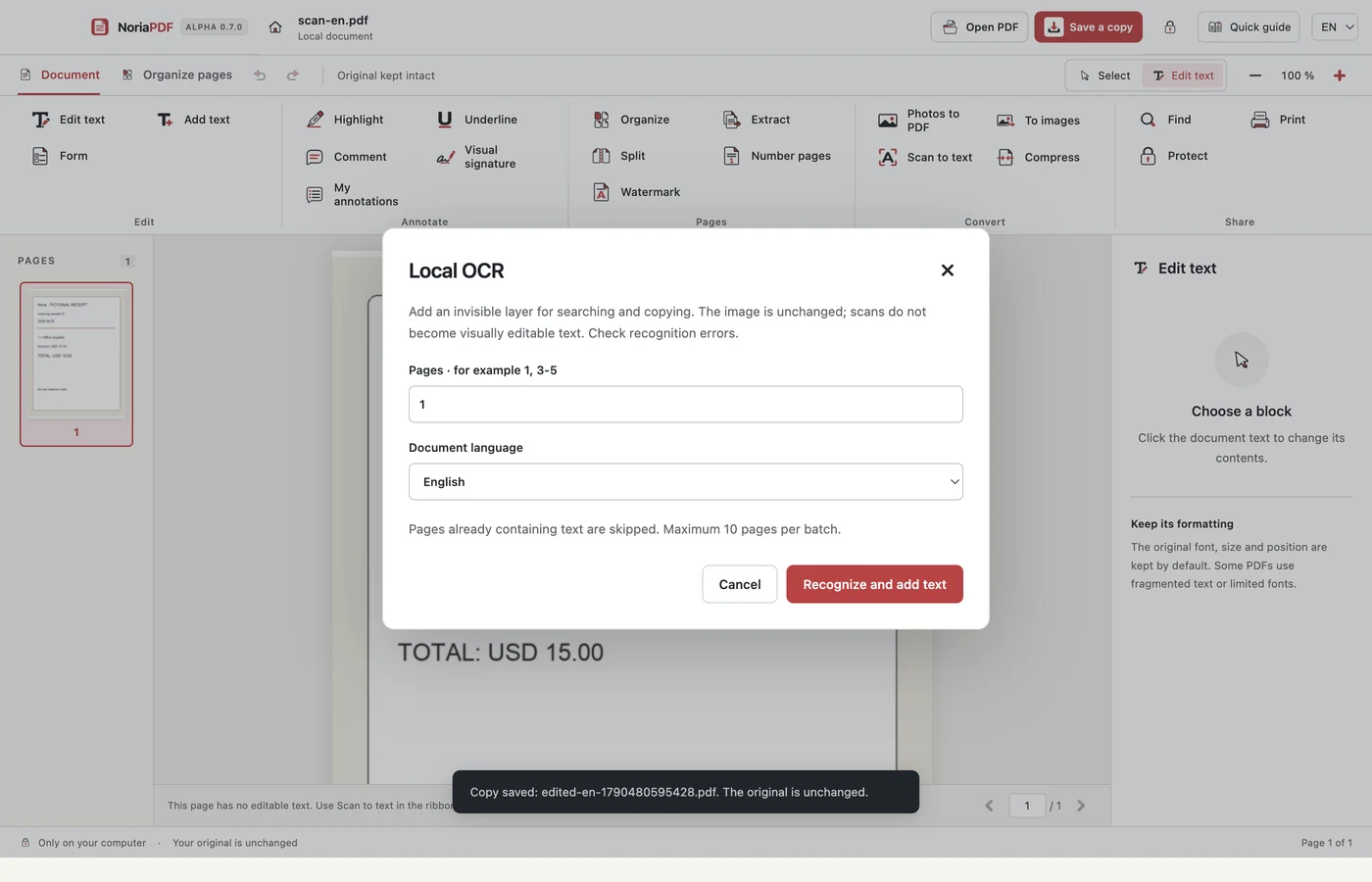
Choose pages and language
Open Scan text (OCR) in the tool ribbon. Enter the pages and select the document language, English or Spanish. Process up to 10 pages per batch. Pages that already contain text are skipped; repeatedly running OCR on them does not improve the existing layer.
Recognize and check
Select Recognize and add text. The original page image stays visible; recognized text becomes an invisible layer. Search for “Noria” again and review the results. Pay special attention to names, amounts, dates and accented characters.
Save the searchable PDF
Save a copy and reopen it. Search for a word to check that the layer was retained. If recognition is inaccurate, keep the original and try a clearer, straighter, well-lit image.
Example result: the receipt keeps its appearance and recognized words can be found.
App demonstration
Real NoriaPDF 0.7.0 demonstration, silent and using fictional documents. The pages video also includes photos to PDF.
Common questions
Do I need to upload the scan?
No. Recognition runs locally. Accounts, payments and license validation are separate online services.
Can I visually rewrite every recognized word?
Do not assume so. OCR is intended for searching and copying text; the scan image and layout do not become a freely editable word-processing document.
Work with your files on your device.
NoriaPDF: US$9.99 for 1 month or US$39.99 for 12 months, up to 2 devices. Accounts and license validation need a connection; see the offline-use terms.
Keep learning
4 minutes
How to edit a PDF without uploading your files
Correct a name or a line of text on your desktop while keeping the original. This example uses compatible text, not a photograph of a document.
5 minutes
Local OCR: search the text in a scanned PDF
A clear-looking scan may contain no searchable text. OCR adds recognized text over the page image without uploading your PDF.
4 minutes
How to merge PDFs and arrange their pages
Combine a proposal and an appendix, put the pages in order and save a document that is easy to review. No document upload is needed.
4 minutes
How to create a PDF from receipt photos
Turn separate pictures into an ordered document. Check each image, adjust the layout and keep the original photos.